Compactor
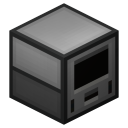
More gentle than a pulverizer.
A compactor is a machine that applies pressure to items to change their form.
Obtaining
A placed compactor can be instantly picked up by dismantling it with a wrench. Its configuration is preserved in the item. It can also be mined using a pickaxe, though this can be much slower.
Crafting
| Ingredients | Crafting recipe |
|---|---|
| Machine Frame + Redstone Reception Coil + Copper Gear + Bronze Ingot + Piston |
Upgrading
A compactor is initially at the lowest tier (basic). It can be upgraded to higher tiers using upgrade kits and conversion kits.
Usage
Placement
When placed, a compactor faces the player. It can face any of the four cardinal directions, and can be rotated using a wrench.
Processing
When items are placed in a compactor’s input slot, the machine will start consuming Redstone Flux to process them. Every item requires a certain amount of energy to process. When enough energy has been consumed for an item, the input is consumed and the output is placed in the output slot.
The speed at which a compactor processes items depends on how much energy it can use per tick. This in turn depends on how much power is being supplied, and on the machine’s maximum power usage. A basic compactor has a maximum power usage of 20 RF/t. This can be increased by upgrading the machine to a higher tier, and by installing certain augments.
Input and output
Items can enter and exit a compactor through its sides. Every side of a compactor may correspond to its input slot, its output slot, or both at the same time.
A compactor can automatically transfer items out of any sides that directly correspond to its output slot. This is called auto-output. It can also transfer items from adjacent inventories into any sides that directly correspond to its input slot. This is called auto-input. Auto-output and auto-input occur whenever the machine finishes processing an item, or every 32 ticks (1.6 seconds) if the machine is inactive.
A basic compactor can automatically transfer up to 16 items at a time. This amount can be increased by upgrading the machine to a higher tier.
Which sides correspond to which slots and whether auto-output and auto-input are enabled can be configured using the Configuration tab in the machine’s GUI.
Redstone control
A compactor may be configured to respond to redstone signals. It can be in one of three modes:
- Ignored
- Redstone control is disabled. The compactor works whenever possible. This is the default mode.
- Low
- The compactor works when not powered. When powered, it stops working.
- High
- The compactor only works when powered.
The current mode can be set using the Redstone Control tab in the machine’s GUI.
Security
A compactor can have a signalum security lock installed to restrict who can access it.
Redprints
A compactor’s configuration can be saved on a redprint to be copied to other compactors.
Tiers
Compactors come in five tiers.
| Tier | Max. power usage | Augment slots | Max. items per auto-transfer |
|---|---|---|---|
| Basic | 20 RF/t | 0 | 16 |
| Hardened | 30 RF/t | 1 | 16 |
| Reinforced | 40 RF/t | 2 | 28 |
| Signalum | 50 RF/t | 3 | 44 |
| Resonant | 60 RF/t | 4 | 64 |
Augmentation
A compactor can have augments installed to improve certain properties or to change how it works. The amount of augments that can be installed depends on the machine’s tier. A basic compactor cannot be augmented.
Augments can be installed in the Augmentation tab in a compactor’s GUI.
| Augment | Installable in | Description | |
|---|---|---|---|
 | Auxiliary Reception Coil | Any machine | Increases a machine's maximum power usage (speed). However, also increases the amount of energy required per operation. Can be installed multiple times. |
 | Numismatic Press | Compactor | A specialization that allows for a compactor to produce metal coins instead of plates. |
 | Gearworking Die | Compactor | A specialization that allows for a compactor to produce gears instead of plates. |
Recipes
| Result(s) | Ingredients | Energy | Compactor recipe |
|---|---|---|---|
| Metal Plate | Any Metal Ingot | 4,000 RF | |
| Fluxed Electrum Plate | Fluxed Electrum Ingot | 4,000 RF |   |
| Blaze Rod | Blaze Powder | 4,000 RF | |
| Blizz Rod | Blizz Powder | 4,000 RF | |
| Blitz Rod | Blitz Powder | 4,000 RF | |
| Basalz Rod | Basalz Powder | 4,000 RF |


Last updated: 2026-10-20 21:05:17 +0000